Quick Reading Guide
This article explains Generative AI in a simple way. Generative AI can create new content such as text, images, audio, video, code, and ideas.
1. Simple Definition
Generative AI is a type of AI that can create new content.
Normal AI may classify, predict, or recommend. Generative AI can create something new from your instruction.
For example, you can ask AI to write an email, create a product description, generate an image idea, summarize a report, or create a video script.
2. Simple Example
Imagine a small business owner in Myanmar selling clothes on Facebook.
Before Generative AI, they need to write product captions by themselves.
With Generative AI, they can type:
Then AI can create a ready-to-edit Facebook caption in a few seconds.
The owner still needs to check price, stock, product details, and tone before posting.
3. Infographic: What Can Generative AI Create?
Generative AI is not only for ChatGPT text. It can support many types of content.
Text Content
- Email writing
- Reports and summaries
- Facebook posts
- Product descriptions
Visual Content
- Image ideas
- Poster concepts
- Infographic drafts
- Presentation visuals
Video & Audio
- Video scripts
- Voice-over drafts
- Short ad concepts
- Explainer video outlines
Code & Work Support
- HTML/CSS ideas
- Excel formula explanation
- Power Query steps
- Dashboard wording
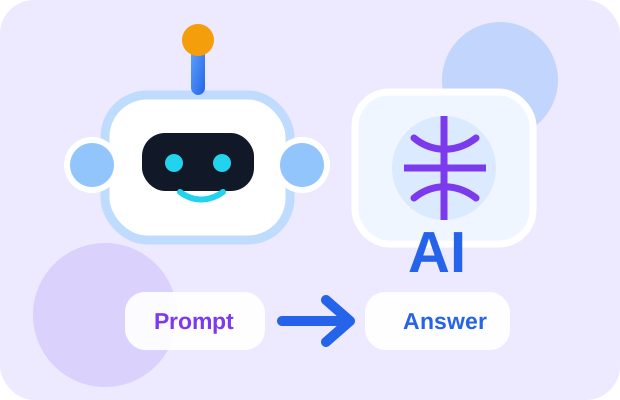
4. GIF-Style Mini Animation: Prompt to Content
This animated website block shows how Generative AI creates content from your instruction.
Generative AI Flow
Important: AI does not truly “think” like a human. It creates output based on patterns learned from data.
5. Myanmar-Friendly Real-Life Examples
- Student: ask AI to explain a difficult topic in simple words.
- Office worker: ask AI to polish an email or summarize a meeting note.
- Small business: ask AI to write Facebook product captions.
- Content creator: ask AI to create video script ideas.
- Shop team: ask AI to turn daily operation notes into a short report summary.
- Designer: ask AI to suggest poster layout or infographic ideas.
6. Common Misunderstanding
Many people think:
This is wrong.
Generative AI can create a draft quickly, but it may include wrong facts, weak wording, or unsuitable tone.
Best rule: AI creates the first draft. Human checks, edits, and approves the final version.
7. How to Use This Knowledge
When using Generative AI, give clear instructions.
Weak prompt:
Better prompt:
Better prompt means better draft.
8. Office Example
Generative AI is very useful for office work.
Example: you have small shop receiving notes, photo captions, and safety observations. AI can help convert them into a clean email report.
But AI should not invent numbers, dates, or facts. You must provide correct information first.
9. Recommended Short Video
Watch this short English video to understand the topic visually before reading deeper.
What to watch for:
- What generative AI means
- How AI creates new content
- Examples such as text, images, video, music, and voices
10. 3-Minute Summary
Generative AI is AI that creates new content.
It can create text, image ideas, video scripts, audio drafts, code, and office documents.
Generative AI works best when your prompt is clear.
Do not use Generative AI as a final decision maker. Use it as a powerful creative assistant.